
b-session
Adding sessions is straightforward:
let () =
  Dream.run
  @@ Dream.logger
  @@ Dream.memory_sessions
  @@ fun request ->

    match Dream.session "user" request with
    | None ->
      let%lwt () = Dream.invalidate_session request in
      let%lwt () = Dream.put_session "user" "alice" request in
      Dream.respond "You weren't logged in; but now you are!"

    | Some username ->
      Printf.ksprintf
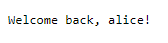
        Dream.respond "Welcome back, %s!" (Dream.html_escape username)
$ dune exec --root . ./session.exeThe first time you access the app, it “logs you in” by saving you user name in a
session. The session manager,
Dream.memory_sessions,
a middleware, adds a dream.session cookie to the response, containing the
session key. The next time you access the app, the session is looked up again
by this key, and the app recognizes you as logged in!
The default sessions provided by Dream contain string-to-string maps (dicts). In this example, we created
{
  "user": "alice"
}
Dream.memory_sessions
stores sessions in server memory only. This is great for development, because
you don't have to worry about a database or a secret key. But it means that all
session data is lost when the server is restarted. For example, if your Web app
logs in users, server restart will log all users out.
There are two other session back ends, which are persistent:
Dream.cookie_sessionsstores session data in encrypted cookies. That is, session data is stored on clients, rather than on the server. You can replaceDream.memory_sessionswithDream.cookie_sessionsand it will work right away. However, if you want to be able to decrypt sessions set by previous runs of the server, pass~secret:"my-secret"toDream.runso that it doesn't generate a random key each time.Dream.sql_sessionsstores sessions in a database. It's used in exampleh-sql.
All requests passing through a session middleware get assigned a session. If
they don't have a dream.session cookie, or the cookie is invalid, they get a
fresh, empty session, also known as a pre-session.
Security
If you log in a user, grant a user or session any enhanced access rights, or
similar, be sure to replace the existing session with a new one by calling
Dream.invalidate_session.
This helps to mitigate
session fixation attacks. The
new session will, again, be an empty pre-session.
It is best to use HTTPS when using sessions, to prevent session cookies from
being trivially observed by third parties. See
Dream.run argument ~https, and
example l-https.
Next steps:
- Sessions already use cookies internally, but in
c-cookiewe set cookies for our own purposes! d-formbuilds secure forms on top of sessions.