 91100f816b
* Initial implementation

* - Add disabling of blur pass
- Change default parameter for shading factor
- fix some tests

* - Implement bilateral filtering
- Optimize textures
- Fix layout test

* rename SSAO to ambient occlusion
fix ssao settings widget margin

* Remove unused variable

* fix naming and add tooltips

* - Refactor quad entities
- Address Stefanos's suggestions

* Rework SSAO implementation

Previously we based the code on CloudCompare's implementation,
however that did not work too well for us for a couple of reasons:
- the code does not deal well with perspective projection, causing incorrect shading (CC uses orthographic projection)
- there was no range check, so we would be getting false ambient occlusion on larger depth discontinuities (silhouttes)
- banding artifacts as the sampling kernel was not getting rotated
- parameters (shading radius, distance attenuation) that are difficult to understand

The new implementation is based on John Chapman's tutorial and LearnOpenGL page (derived from the original tutorial):
https://john-chapman-graphics.blogspot.com/2013/01/ssao-tutorial.html
https://learnopengl.com/Advanced-Lighting/SSAO

The general approach of the SSAO is the following:
- for each pixel, we pick a couple of random points nearby (64 samples currently)
  and check with the depth buffer whether they are visible from the camera or not.
  The nearby points that are occluded contribute to darkening of the pixel,
  this is saved to a texture
- in the next rendering pass, we blur the texture using 4x4 box. This is because
  in the first step we use 4x4 random noise pattern and it leaves a noticeable noise
  pattern on the screen. This pass gets rid of that noise
- in the post-processing step, the blurred texture is blended with the rendered scene

There are few differences to J.C.'s tutorial and LearnOpenGL page:
- the approches above use normal maps (a texture with a normal vector for each pixel),
  but we don't because we also want to support point clouds that do not have normals
  (at least not by default)
- we use full sphere for sampling instead of hemisphere (which is possible when you
  have normals), so maybe we are getting a bit lower quality / performance
- LearnOpenGL also uses a texture with positions of all pixels - we only use depth map
  to get the original positions (like JC's original code does)

* Clean up ssao parameters and GUI, add intensity parameter

* Add missing Q_OBJECT macro

* Add more missing Q_OBJECT macros

* Add occlusion threshold parameter to control the darkening

With the default threshold of 50%, pixels only start to get darker
when more than half of the neighborhood samples are occluded. That
means flat surfaces should not get any darker. (What we had previously
is an equivalent of having threshold set at 0%)

The downside is that with increased threshold, more subtle occlusions get lost.

* Review from Stefanos

* More review and better defaults

* Clear button fix

Co-authored-by: NEDJIMAbelgacem <gb_nedjima@esi.dz>





QGIS is a full-featured, user-friendly, free-and-open-source (FOSS) geographical information system (GIS) that runs on Unix platforms, Windows, and MacOS.
Features
1. Flexible and powerful spatial data management
- Supports raster, vector, mesh, and point cloud data in a range of industry-standard formats
- Raster formats include: GeoPackage, GeoTIFF, GRASS, ArcInfo binary and ASCII grids, ERDAS Imagine SDTS, WMS, WCS, PostgreSQL/PostGIS, and other GDAL supported formats.
- Vector formats include: GeoPackage, ESRI shapefiles, GRASS, SpatiaLite, PostgreSQL/PostGIS, MSSQL, Oracle, WFS, Vector Tiles and other OGR supported formats.
- Mesh formats include: NetCDF, GRIB, 2DM, and other MDAL supported formats.
- Point-cloud format: LAS/LAZ and EPT datasets.
- Access and display local files, spatial databases (PostGIS, SpatiaLite, SQL Server, Oracle, SAP HANA), web services (WMS, WCS, WFS, ArcGIS REST services), tile services, etc.
- Visual and numerical digitizing and editing
- On-the-fly reprojection between coordinate reference systems (CRS)
- Temporal support
Example: Temporal animation

Example: 3D map view
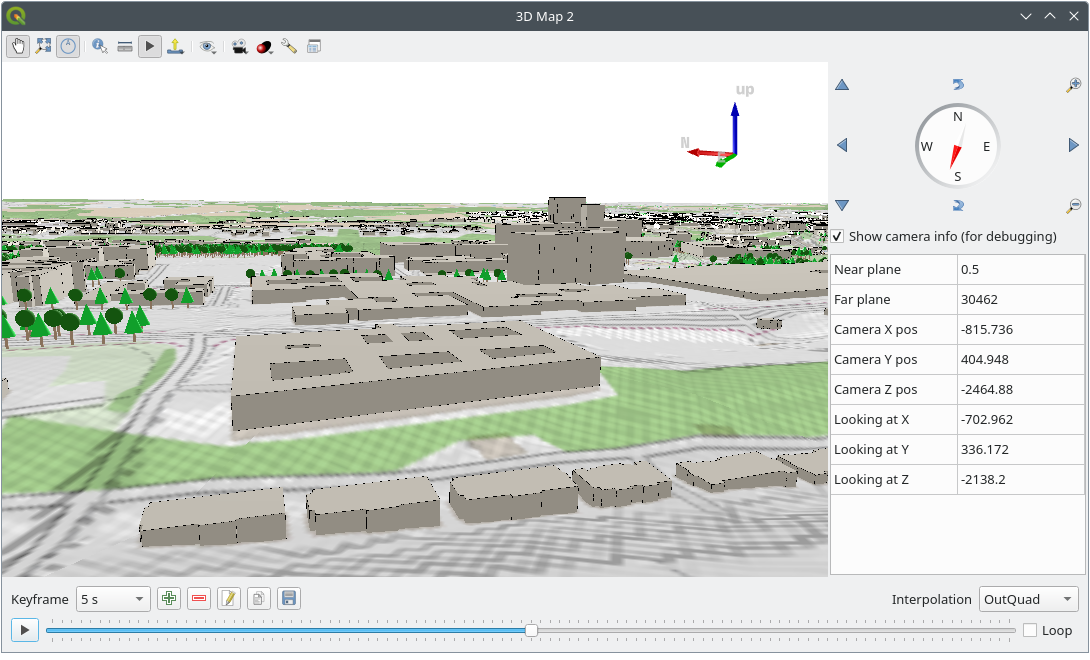
2. Beautiful cartography
- Large variety of rendering options in 2D and 3D
- Fine control over symbology, labeling, legends and additional graphical elements for beautifully rendered maps
- Near-complete replication (and significant extension) of symbology options that are available in proprietary software by ESRI
- Advanced styling using data-defined overrides, blending modes, and draw effects
- 500+ built-in color ramps (cpt-city, ColorBrewer, etc.)
- Create and update maps with specified scale, extent, style, and decorations via saved layouts
- Generate multiple maps (and reports) automatically using QGIS Atlas and QGIS Reports
- Flexible output direct to printer, or as image (raster), PDF, or SVG for further customization
- On-the-fly rendering enhancements using geometry generators (e.g. create and style new geometries from existing features)
- Preview modes for inclusive map making (e.g. monochrome, color blindness)

For more maps created with QGIS, visit the QGIS Map Showcase Flickr Group.

3. Advanced and robust geospatial analysis
- Powerful processing framework with 200+ native processing algorithms
- Access to 1000+ processing algorithms via providers such as GDAL, SAGA, GRASS, OrfeoToolbox, as well as custom models and processing scripts
- Geospatial database engine (filters, joins, relations, forms, etc.), as close to datasource- and format-independent as possible
- Immediate visualization of geospatial query and geoprocessing results
- Graphical modeler and batch processing
Example: Travel isochrones

Example: Graphical model
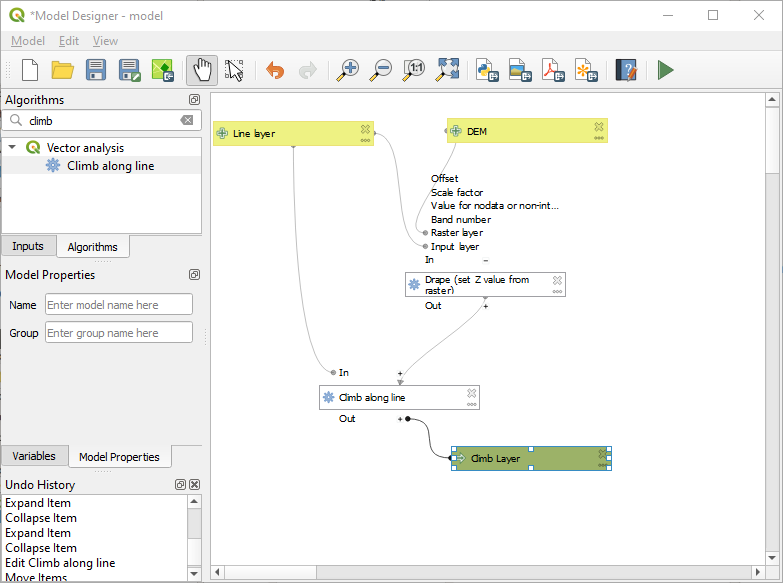
4. Powerful customization and extensibility
- Fully customizable user experience, including user interface and application settings that cater to power-users and beginners alike
- Rich expression engine for maximum flexibility in visualization and processing
- Broad and varied plugin ecosystem that includes data connectors, digitizing aids, advanced analysis and charting tools, in-the-field data capture, conversion of ESRI style files, etc.
- Style manager for creating, storing, and managing styles
- QGIS style hub for easy sharing of styles
- Python and C++ API for standalone (headless) applications as well as in-application comprehensive scripting (PyQGIS)
Example: Style manager
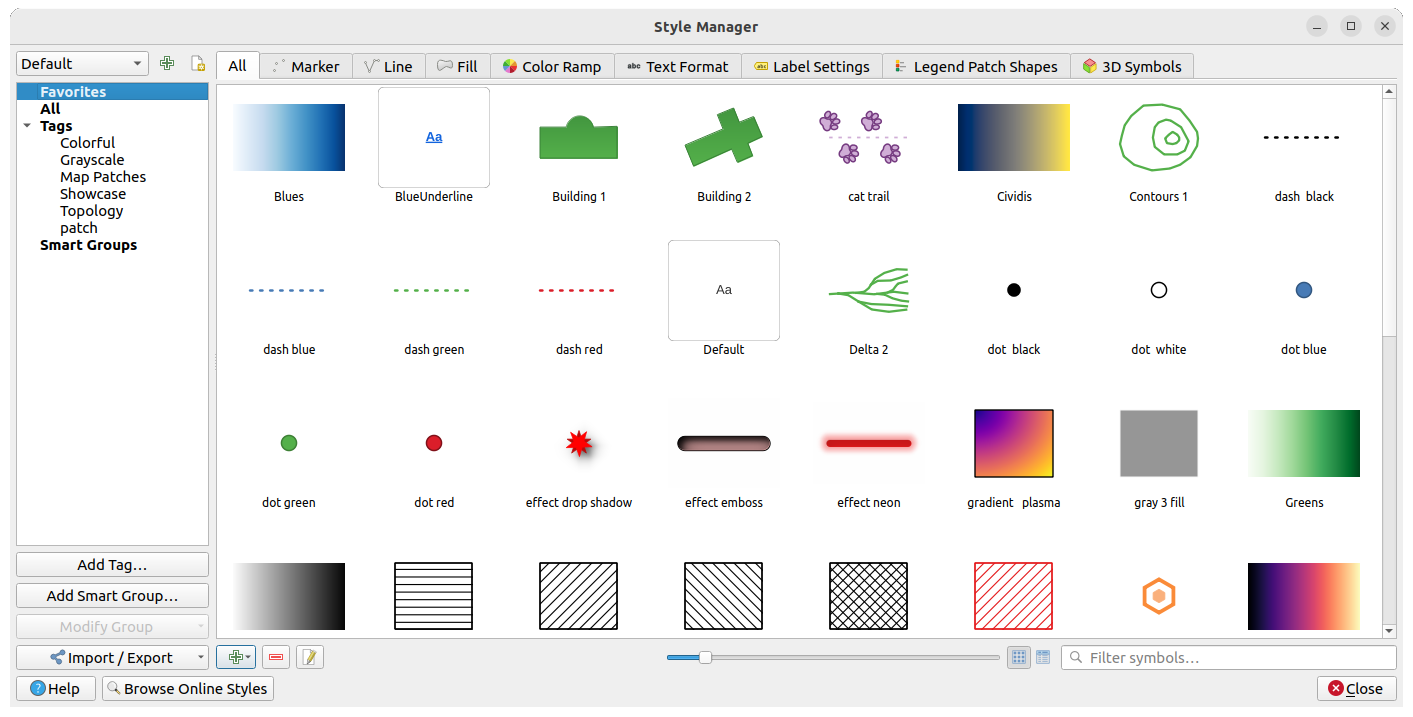
Example: Plugins

5. QGIS Server
Headless map server -- running on Linux, macOS, Windows, or in a docker container -- that shares the same code base as QGIS.
- Industry-standard protocols (WMS, WFS, WFS3/OGC API for Features and WCS) allow plug-n-play with any software stack
- Works with any web server (Apache, nginx, etc) or standalone
- All beautiful QGIS cartography is supported with best-in-class support for printing
- Fully customizable with Python scripting support
Example: QGIS server WMS response
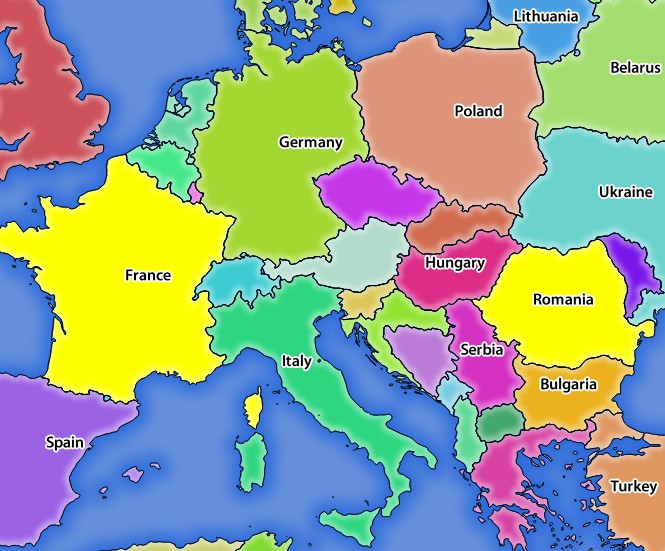
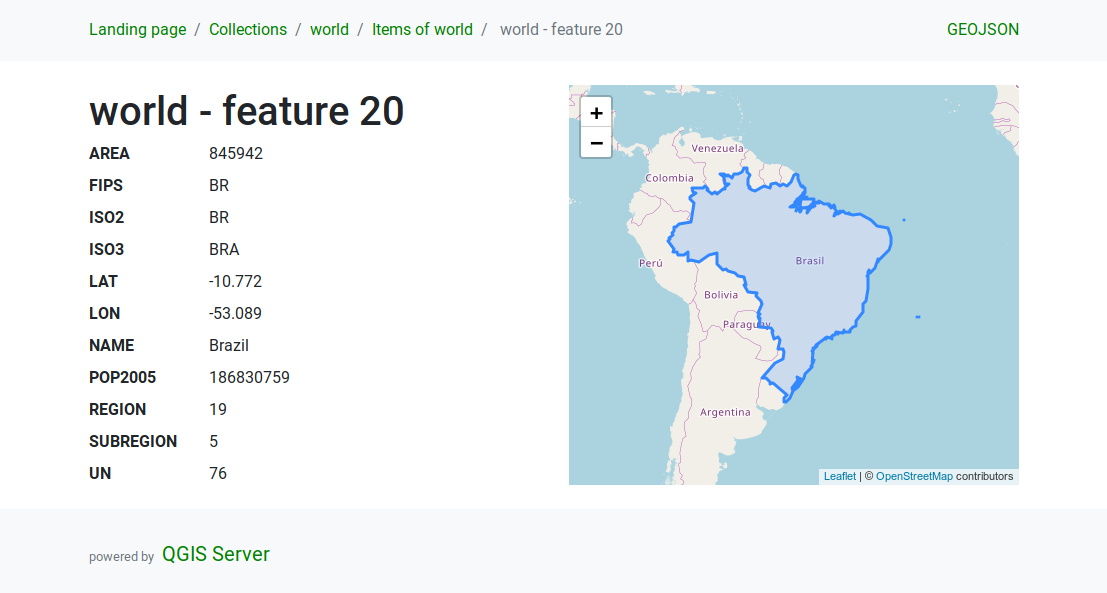
Example: QGIS server WFS response
Under the hood
QGIS is developed using the Qt toolkit and C++, since 2002, and has a pleasing, easy to use graphical user interface with multilingual support. It is maintained by an active developer team and supported by vibrant community of GIS professionals and enthusiasts as well as geospatial data publishers and end-users.
Versions and release cycle
QGIS development and releases follow a time based schedule/roadmap. There are three main branches of QGIS that users can install. These are the Long Term Release (LTR) branch, Latest Release (LR) branch, and the Development (Nightly) branch.
Every month, there is a Point Release that provides bug-fixes to the LTR and LR.
Free and Open Source
QGIS is released under the GNU Public License (GPL) Version 2 or any later version. Developing QGIS under this license means that you can (if you want to) inspect and modify the source code and guarantees that you, our happy user will always have access to a GIS program that is free of cost and can be freely modified.
QGIS is part of the Open-Source Geospatial Foundation (OSGeo), offering a range of complementary open-source GIS software projects.
Installing and using QGIS
Precompiled binaries for QGIS are available at the QGIS.org download page. Please follow the installation instructions carefully.
The building guide can be used to get started with building QGIS from source.
For installation of QGIS Server, see its getting started documentation.
Documentation
A range of documentation is available. This includes:
- Training Manual
- QGIS User Guide
- QGIS Server Guide
- Visual Changelog
- Documentation Guidelines
- QGIS Python (PyQGIS) Cookbook
- QGIS Python (PyQGIS) API
- QGIS C++ API
- Developers Guide
Help and support channels
There are several channels where you can find help and support for QGIS:
- Using the QGIS community site
- Joining the qgis-users mailing list
- Chatting with other users real-time. Please wait around for a response to your question as many folks on the channel are doing other things and it may take a while for them to notice your question. The following paths all take you to the same chat room:
- Using an IRC client and joining the #qgis channel on irc.freenode.net.
- Using a Matrix client and joining the #qgis:matrix.org room.
- Using Gitter chat.
- At the GIS stackexchange or r/QGIS reddit, which are not maintained by the QGIS team, but where the QGIS and broader GIS community provides lots of advice
- Other support channels
Get involved with the community
Bug reporting and bug fixing
You can help us by submitting bug reports or fixing bugs in the QGIS bug tracker.
New features and enhancements
If you wish to contribute patches you can:
- fork the project
- make your changes
- commit to your repository
- and then create a pull request.
The development team can then review your contribution and commit it upstream as appropriate.
If you commit a new feature, add [FEATURE] to your commit message AND give a clear description of the new feature. The label Needs documentation will be added by maintainers and will automatically create an issue on the QGIS-Documentation repo, where you or others should write documentation about it.
For large-scale changes, you can open a QEP (QGIS Enhancement Proposal). QEPs are used in the process of creating and discussing new enhancements or policy for QGIS.
Translations
Please help translate QGIS to your language. At this moment about forty languages are already available in the Desktop user interface and about eighty languages are available in transifex ready to be translated.
The translation process is managed by the Translation Team and all the activities are done under the Transifex platform.
Other ways to contribute
If you are not a developer, there are many other possibilities which do not require programming skills to help QGIS to evolve. Check our project homepage for more information.